
Command An Army Level Up Fast: The Ultimate Guide to Dominating the Battlefield
Learn how to command an army level up fast with our comprehensive guide on classes, troop ascension, and strategic combat maneuvers in Roblox.
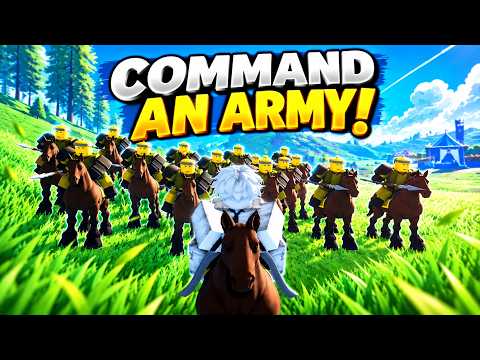 Official mediaLearn how to command an army level up fast with our comprehensive guide on classes, troop ascension, and strategic combat maneuvers in Roblox.YouTube
 Stepping onto the battlefield for the first time can be an overwhelming experience, but mastering the mechanics is essential if you want to command an army level up fast. In this competitive multiplayer strategy game, your ability to coordinate troops and manage resources determines whether you lead a glorious conquest or face a swift defeat. Learning the nuances of troop synergy and class selection is the most effective way to command an army level up fast and unlock the high-tier units required for late-game dominance.
Choosing the Right Class for Rapid Progression
When you first launch the game, you are funneled through a mandatory tutorial where you must select a starting class. You have three primary options: the Assassin, the Sword & Shield, and the Hammer. While the Assassin offers high mobility and the Hammer provides devastating raw power, veteran players and community reports consistently suggest that the Sword & Shield is the superior choice for beginners.
The primary reason for this recommendation is survivability. The Sword & Shield class allows you to block incoming attacks (using the F key), which significantly preserves your health bar during chaotic skirmishes. Staying alive longer in battle directly translates to more experience points and a higher win rate. If you find that your initial choice doesn't suit your playstyle, you can switch classes later, though it will cost you 50 Gems.
| Class | Primary Strength | Skill Ceiling | Recommended For |
|---|---|---|---|
| Sword & Shield | Defense & Blocking | Moderate | Beginners / Tanks |
| Assassin | Speed & Burst Damage | High | Advanced Flankers |
| Hammer | Area of Effect (AoE) | Low | Frontline Brawlers |
Mastering the Controls and Keybinds
Efficiency is the cornerstone of any strategy game. To command an army level up fast, you must move beyond clicking and start utilizing the full array of keyboard shortcuts. Managing your character is only half the battle; you must also issue precise orders to your AI-controlled troops to ensure they aren't slaughtered in the opening minutes of a match.
Troop Command Keybinds
| Action | Keybind | Strategic Use |
|---|---|---|
| Hold | X | Set up defensive perimeters or wait for reinforcements. |
| Follow | C | Reposition your squad or retreat from a losing fight. |
| Attack | V | Focus fire on a specific enemy cluster. |
| Rush | B | Break through enemy lines or chase down fleeing archers. |
When you use the Hold (X) command, you can choose from three different formations. These formations change based on the specific troops you have deployed. For example, a Shieldman in a defensive formation is significantly harder to kill than one caught in a standard follow stance. Experimenting with these formations is vital for minimizing troop losses, which keeps your momentum high and helps you command an army level up fast.
Character Action Keybinds
| Action | Keybind | Importance |
|---|---|---|
| Attack | Left Click | Basic combat and XP generation. |
| Block | F | Essential for the Sword & Shield class. |
| Roll | Q | I-frames for dodging heavy attacks. |
| Heal | H | Restores HP (requires a safe distance). |
| Mount | G | Summons a horse for mobility and extra HP. |
Troop Management and the Star Limit System
One of the most common mistakes new players make is ignoring their Star Limit. Every unit you summon has a "Star" rating, which represents its rarity and combat effectiveness. As a beginner, your loadout is restricted to a maximum of 6 Stars. This means you cannot simply fill your squad with legendary units right away.
To command an army level up fast, you must win battles to increase this Star Limit. As your limit grows, you can field more powerful units or a larger number of mid-tier troops. At Level 15, you unlock a fourth troop slot, which drastically changes the tactical landscape of your matches.
Starter Troop Comparison
| Troop Type | Role | Best Against | Weakness |
|---|---|---|---|
| Mercenary | Generalist | Balanced units | Specialized elites |
| Shieldman | Tank | Archers / Projectiles | Heavy Hammer attacks |
| Spearman | Anti-Cavalry | Mounted units | Fast infantry |
| Archer | Ranged DPS | Slow infantry | Assassins / Flankers |
Player experience suggests that a balanced team—usually consisting of one Shieldman to soak up damage and two Archers or Spearmen for support—is the most consistent way to earn victories in the early game.
The Ascension Tree: Powering Up Your Units
If you want to command an army level up fast, you cannot rely on base stats alone. The Ascension Tree, located near the spawn area (identifiable by its blue glow), is where you invest in your troops' long-term potential. Ascending a unit increases its maximum Health (HP) and Damage output.
Progression Tiers
- Ascension Level: Maxes out at Level 3. This provides significant stat buffs.
- Unit Mastery: Maxes out at Level 20. Reaching this milestone is required to unlock the Evolution system.
A pro tip for resource management: do not delete units just to clear inventory space. If you ascend a unit to Level 3 before deleting it, the game provides a small Gem refund. This allows you to cycle through lower-tier units while slowly accumulating the Gems needed for high-tier summons.
Tactical Combat: Using Mounts and Stamina
Winning battles is the most direct way to command an army level up fast, but it requires more than just running into the fray. One of the most underutilized mechanics is the Mount (G). Riding a horse doesn't just make you faster; it provides an entirely separate health bar. Enemies must deplete your horse's HP before they can damage you directly.
If your mount is killed, there is a one-minute cooldown before you can summon another. During this downtime, you must be extremely careful with your Stamina. Rolling (Q) is your primary escape tool, but it consumes stamina rapidly. If you run out of stamina while being chased, you will likely be cornered and eliminated.
Community Strategy Tip: When your health is low, use the Roll ability to gain distance, then immediately find cover to use the Heal (H) action. Healing is not instant and can be interrupted, so always ensure your troops are set to "Hold" or "Attack" to provide a screen while you recover.
How to Earn Gems for Better Summons
Gems are the lifeblood of progression. They allow you to summon new troops, switch classes, and roll for better mounts. For those looking to command an army level up fast, maximizing Gem income is a top priority.
- Complete Daily Quests: These are the most consistent source of non-paid Gems.
- Redeem Codes: The developers frequently release promotional codes. According to official Roblox community updates, these codes often provide thousands of Gems to new players.
- Win Multiplayer Matches: Victory rewards are significantly higher than defeat rewards, emphasizing the need for strategy.
- Ascension Recycling: As mentioned previously, deleting Level 3 Ascended units returns a portion of your investment.
Advanced Teamwork and Positioning
Strategy in this game is often a team effort. If you are playing as an Attacker, your goal is to push forward and secure spawn points. If you are a Defender, you must protect your flag at all costs. A common player report indicates that teams who communicate their troop choices usually win. For example, if your teammate is spawning a full squad of Shieldmen, you should spawn Archers to provide the necessary firepower behind their wall.
Always keep an eye on the unit count on the battlefield. If you notice your teammates have been wiped out, do not try to be a hero. Use your mount to retreat, regroup with the next wave of spawns, and push back together. Getting caught solo is the fastest way to lose a match and stall your progression.
Conclusion: The Path to Mastery
To command an army level up fast, you must balance aggressive combat with smart resource management. Focus on mastering the Sword & Shield class initially, keep your troops ascended, and always utilize your mount for the extra layer of protection. By following these strategies and maintaining a balanced troop loadout, you will quickly climb the ranks and dominate the leaderboard.
FAQ: Command An Army Progression
What is the fastest way to command an army level up fast?
The fastest way to level up is to consistently win multiplayer battles while maintaining a full squad of ascended units. Focus on completing daily quests for Gems, which allows you to summon higher-tier troops that can carry you through tougher matches.
How do I unlock more troop slots?
You start with three troop slots. You will unlock your fourth troop slot once you reach Level 15. Reaching this level is a major milestone that significantly increases your tactical options on the battlefield.
Should I spend Gems to change my class?
You should only spend 50 Gems to change your class if you find that your current playstyle is preventing you from winning. For most beginners, the Sword & Shield class is sufficient for the first 20 levels. Save your Gems for troop summons until you have a solid core team.
What happens when a unit reaches Mastery Level 20?
Once a unit reaches Mastery Level 20, you unlock the ability to Evolve them. Evolution is a powerful upgrade that goes beyond standard Ascension, offering unique abilities and massive stat increases that are essential for high-level play.
Related Guides
Boost Your Squad: How to Get Free Command an Army Gems in September 2026
Unlock powerful units and new classes using the latest rewards. Follow our guide to claim free Command an Army gems and dominate the battlefield today.
Command an Army Ascension Guide: Mastering Progression and Unit Evolution in Roblox
Learn how to master Command an Army ascension. Discover tips on unit evolution, strategic team building, and the latest meta updates for 2026.
Command An Army Max Level Unit Guide: How to Get EXP Fast and Dominate the Battlefield
Learn how to reach a Command An Army max level unit quickly with our comprehensive guide on EXP buffs, kill quality, and unit management strategies.
Command an Army: How to Evolve Units and Ascend Your Troops for Maximum Power
Learn how to evolve units in Command an Army, reach level 20, and master the evolution paths for Knights, Lancers, and Imperial Walls in this RPG guide.