
Ultimate Command an Army Tips and Tricks: Master the Battlefield and Dominate Your Enemies
Master the medieval battlefield with our essential Command an Army tips and tricks guide. Learn unit strategies, combat tactics, and progression secrets.
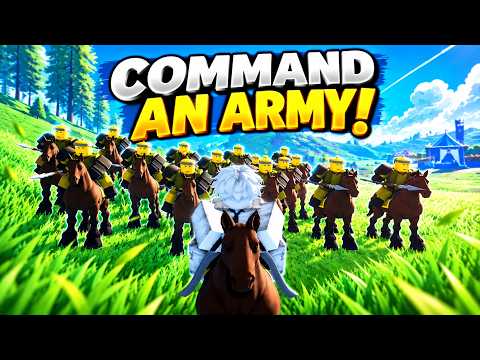 Official mediaMaster the medieval battlefield with our essential Command an Army tips and tricks guide. Learn unit strategies, combat tactics, and progression secrets.YouTube
 Master the Battlefield: Why Tactics Matter
Entering the chaotic, high-stakes world of medieval siege warfare in Roblox requires more than just raw aggression. If you are looking for effective command an army tips and tricks, you have come to the right place to sharpen your strategic instincts. Understanding the nuances of troop deployment and unit synergy is the difference between a crushing victory and a swift defeat on the frontline. By mastering these command an army tips and tricks, you will ensure your name is feared across the server as a true tactical commander.
Choosing Your Class and Starter Units
When you first launch the game, you are tasked with selecting a player class. According to community reports, the Sword & Shield class is widely considered the safest and most reliable choice for beginners. This class provides the essential ability to block incoming strikes, which is invaluable for preserving your HP during the heat of battle.
While your initial class defines your personal combat style, your success hinges on your unit loadout. You begin with access to four primary unit types, and balancing them is key to a versatile army composition.
Starter Unit Breakdown
| Unit Type | Role | Tactical Strength |
|---|---|---|
| Mercenary | Frontline | Versatile melee damage |
| Shieldman | Defense | Absorbing heavy pressure |
| Spearman | Anti-Cavalry | Stopping mounted charges |
| Archer | Support | Long-range chip damage |
Mastering the Controls for Tactical Execution
Effective command requires quick reactions and precise movement. Players who master the interface gain a significant edge over opponents who stick to basic attacks. Whether you are leading a charge or holding a defensive chokepoint, knowing your keybinds is non-negotiable.
Essential Combat Keybinds
| Action | Keybind | Strategic Purpose |
|---|---|---|
| Hold | X | Maintain position or guard objectives |
| Follow | C | Reorganize your troops during a retreat |
| Attack | V | Initiate a synchronized strike |
| Rush | B | Overwhelm weakened defenses |
| Block | F | Essential for individual survivability |
| Mount | G | Utilize horse health bar as a buffer |
Advanced Strategy: The Art of the Flank
One of the most effective command an army tips and tricks involves understanding the terrain and the limitations of enemy formations. Rushing blindly into a heavily shielded defensive line is a recipe for disaster. Instead, focus on flanking maneuvers. Archers are incredibly vulnerable in close-quarters combat; coordinating a pincer movement to bypass the enemy’s shield wall and strike their support units is a high-reward tactic used by top-tier players.
Always watch your teammates' deployments. If you see your allies fielding a heavy shield-wall, do not duplicate their loadout. Instead, bring archers to provide the necessary support damage from the backline. Teamwork is the hidden multiplier in every successful siege.
Progression and Ascension Mechanics
To stay competitive, you must evolve your forces. The game features an "Ascension" system that allows you to combine duplicate units to buff their base stats. According to veteran player experience, you should avoid deleting extra units early on. Wait until you have reached the maximum ascension level to receive a partial Gem refund, which can be reinvested into more summons.
Unit Evolution Paths
- Mercenary → Squire → Knight
- Shieldman → Sentinel → Imperial War
- Spearman → Pikemen
- Archer → Longbowmen
- Scout Rider → Cavalry → Lancer
Pro Tips for Sustained Victory
Beyond basic combat, there are advanced mechanics that define a veteran commander. Always utilize your mount when possible; the horse acts as an extra health bar, buying you critical time to escape or reposition if you are caught in a bad spot. If your mount falls, rotate back to a safe distance to utilize the "Heal" key (H) to restore your health before re-engaging.
Remember to keep your total "Star Limit" in mind when building your loadout. A team of high-rarity units might look powerful, but if you exceed the limit, you may be unable to field a full squad. Balancing your points is essential for a sustainable, effective force. For further inspiration on historical military formations, check out this educational resource on ancient warfare to see how real-world generals utilized terrain to win impossible battles.
Frequently Asked Questions
What are the best command an army tips and tricks for beginners?
The most important command an army tips and tricks are to focus on unit synergy, always prioritize the "Sword & Shield" class to stay alive longer, and never ignore your Ascension tree to keep your troops upgraded as you level up.
How do I get more gems for summoning?
You can earn gems by completing in-game quests, participating in seasonal events, and redeeming the latest codes provided by the developers. Always keep an eye on community forums or social media pages for active, time-sensitive reward codes.
Why is my unit loadout failing in battle?
If your troops are failing, you likely have an unbalanced team or have exceeded your Star Limit. Ensure you are matching your troop types (like Spearmen vs. Cavalry) correctly and communicating with teammates to avoid overlapping roles during a siege.
Can I change my player class later?
Yes, you can switch your class at any time, but be aware that it currently costs 50 Gems to change. Because of this, it is highly recommended that you stick to one class until you are comfortable with the game’s core mechanics.
Related Guides
Command An Army How to Play: The Ultimate Guide to Winning Battles and Ranking Up Fast
Learn Command An Army how to play with our expert guide. Discover top-tier unit rankings, cavalry strategies, and tips from leaderboard players.
How to Command an Army Controls: Master the Best Defensive Strategy for Roblox Victory
Master the art of defense in Roblox's Command an Army. Learn how to optimize your command an army controls, utilize the turtle strategy, and dominate th...
The Ultimate Command an Army Beginner Guide: Master Tactics and Dominate the Battlefield
New to Command an Army? Learn the essential troop counters, team building strategies, and combat tips in our comprehensive beginner guide to the game.